Live from the product
Automations triggered by signals and workflows
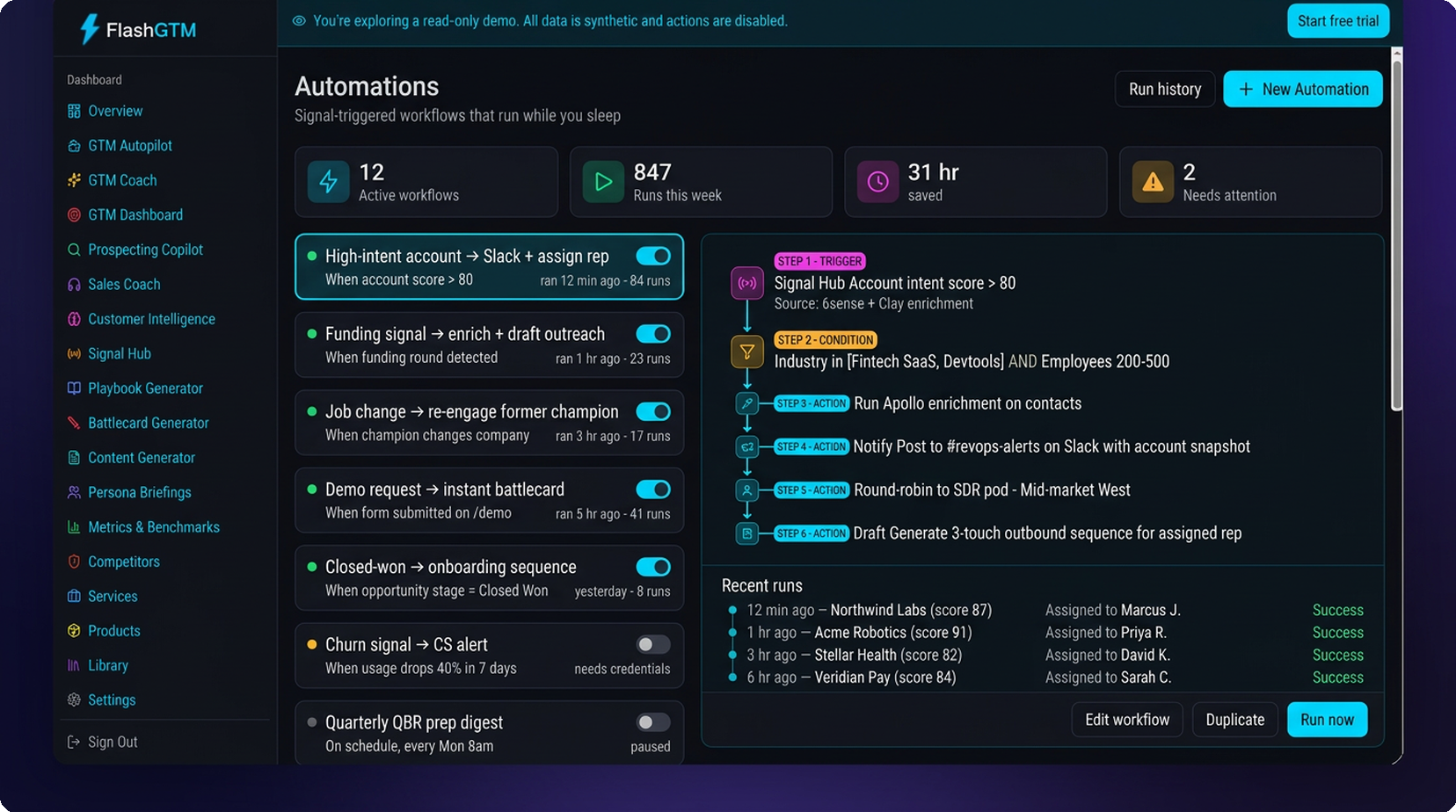
Automation Features
Custom Automation Rules
Create if-this-then-that rules to automate workflows. Trigger actions based on status changes, assignments, or deadlines.
- Auto-assign tasks when playbooks are created
- Send notifications when milestones are reached
- Update project status based on task completion
AI Task Generation
AI analyzes your playbooks and projects to automatically generate actionable tasks with priorities and assignees.
- Extract tasks from playbook content
- Suggest priorities based on project goals
- Recommend task assignments to team members
Smart Notifications
Stay informed without notification overload. Get alerts for what matters, when it matters.
- @mentions and comment replies
- Task assignments and due date reminders
- Project milestone completions
Intelligent Routing
AI routes tasks to the right team members based on skills, workload, and availability.
- Balance workload across the team
- Match tasks to expertise and past performance
- Escalate overdue tasks automatically
Common Automation Use Cases
Playbook Kickoff
Auto-create tasks and assign team members when a new playbook is generated
Content Approval
Route content to reviewers based on type and notify stakeholders when approved
Project Milestones
Send Slack notifications when key milestones are completed
Task Escalation
Reassign overdue tasks and notify managers after 48 hours
Weekly Digests
Automatically send weekly project summaries to stakeholders
Onboarding Flow
Create and assign onboarding tasks when new team members join